
ማብራሪያ
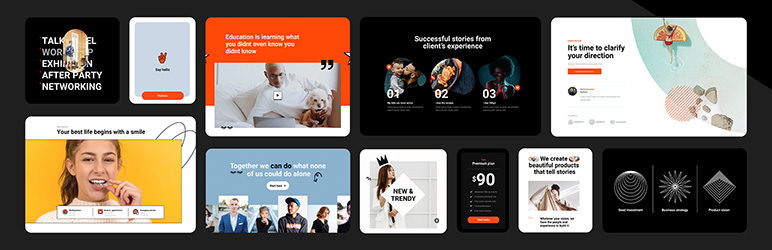
Build professional WordPress sites faster with MaxiBlocks.
All features free forever. No locked blocks. Optional Cloud Library saves you time.
The Challenge
As a WordPress creator, you might be facing:
- Frustration with complex, time-consuming design tools
- Page builders that lock essential features behind paywalls
- Difficulty finding and customising suitable templates
- Pressure to create unique, professional-looking websites efficiently
No one wants to produce generic-looking websites or pay monthly fees just to access basic functionality.
The Complete MaxiBlocks Ecosystem 🎈
MaxiBlocks is a complete website building solution with three components that work together:
MaxiBlocks Builder (Free)
The core plugin with everything unlocked from day one.
- 19 powerful foundation blocks
- Visual style controls
- Advanced design tools
- Dynamic content
- Animations and scroll effects
- Custom CSS
- No feature restrictions
MaxiBlocks Go Theme (Free)
Our Full Site Editing theme, available on WordPress.org.
- Complete site editing
- Responsive templates
- Performance optimised
- Works with any starter site
MaxiBlocks Cloud Library (Free + Paid)
A design library to speed up your workflow.
- 2,180+ block patterns
- 231 page templates
- 379 theme templates
- 14,417 SVG icons and shapes
- 100 style cards
- 11 starter sites
- 17,342 total assets
The Builder and Go Theme are free and open source forever. The Cloud Library offers both free and premium designs to save you time.
11 Starter Sites — Live in Minutes
Complete websites ready to install with one click:
- Interior Design
- Acupuncture
- Coffee Shop
- Cafe
- Business
- SaaS
- Invest
- Conference
- Architecture
- Co-working
- Hair Dresser
Each starter site includes homepage, about, services, contact, blog templates, archive pages, search results, and 404 pages. Install one and start customising immediately.
Get Started in Three Steps
- Install the MaxiBlocks Builder plugin and Go Theme
- Choose a starter site or browse patterns from the Cloud Library
- Customise with style cards and launch your site
Design websites that stand out. Save time doing it.
Key Features
Powerful Blocks
Build anything with 19 flexible, customisable foundation blocks. No complexity, no limits.
Instant Designs
Choose from 2,180+ patterns to create pages in seconds. Drag, drop and personalise.
Massive Icon Library
Enhance your design with 14,417 built-in SVG icons and shapes. No extra plugins needed.
No-Code Editing
See changes instantly with a visual editor. Experiment freely, never touch code.
One-Click Styles
Transform your entire site with style cards. Instantly swap between 100 professional designs.
Design Tools
Use background layers, image masks and scroll effects. Achieve bold visuals without extra software.
Dynamic Content
Display custom fields and real-time updates. Create dynamic, interactive pages.
Full Site Editing
Go beyond pages with the MaxiBlocks Go Theme. Edit headers, footers and templates visually.
Lightning Fast
Clean, optimised code. No domain limits. Zero hidden fees. Freedom on every site.
Who It’s For
MaxiBlocks works for:
- WordPress developers seeking efficient design tools
- Designers transitioning from other page builders
- Beginners looking to create professional sites without coding
- Agencies and freelancers delivering client projects
- Anyone moving from Elementor, Divi or other builders to Gutenberg
What’s Free vs What Requires a Cloud Account
Always Free (Open Source):
- MaxiBlocks Builder plugin (19 foundation blocks)
- MaxiBlocks Go Theme (Full Site Editing)
- 542 free patterns and 17 pages
- Free starter sites
- 14,417 icons and shapes
- 100 style cards
- All features unlocked (animations, dynamic content, custom CSS)
- Unlimited websites
- No restrictions
Optional Cloud Library:
- 2,180+ patterns
- 231 complete pages
- Premium starter sites
- Regular new designs
- Priority support
The Cloud Library saves you 10+ hours per project. You can build the same sites with free tools. Cloud just makes it faster.
Success Stories
Here’s what creators are saying:
“MaxiBlocks is one of the best WordPress plugins I’ve found, and I’m in love with this tool.” – Muhammad Ali Iqbal
“I know this category of plugins very well — I have probably tested all Gutenberg add-ons available on the market and I must admit that MaxiBlocks is really top shelf and top league!” – Peter
“It’s great to see that a lot of the new designs come from special requests from MaxiBlocks users and the developers listen to their user base!” – MeditatingSurgeon
“Easy, clean, and responsive designs with great support. They’re always adding new designs on top of what they already offer.” – Verdant
“After some more time poking around I see a lot of potential in your product. It has the ability to be the Elementor in Gutenberg field.” – Kazi Mahbub
Ready to build?
Install MaxiBlocks for free and start creating today.
Not sure yet? Explore the demo library to see MaxiBlocks in action, or browse starter sites for complete website examples.
Resources & Support
Learn and master MaxiBlocks:
- Documentation – Step-by-step guides and troubleshooting
- Video Tutorials – From basics to advanced techniques
- Support Forum – Get help from our team
- Changelog – Latest improvements
Join Our Community
MaxiBlocks is more than a plugin—it’s a growing community of creators:
- Twitter – Follow for updates and tips
- Discord – Connect with other users
- GitHub – Contribute to our open-source project
Share your creations with #maxiblocks or #madewithmaxi
“We’re on a mission to make website creation faster, easier, and more enjoyable. Can’t wait to see what you’ll create!”
– Kyra, Design Lead & Co-founder
Screenshots



Blocks
This plugin provides 18 blocks.
- Group Maxi Combine a set of blocks in a group
- Icon Maxi Add icon or shape and style it
- Container Maxi Wrap blocks within a container
- Accordion Maxi Expand or collapse content inside of a panel
- Slider Maxi (beta) Create slider with blocks, controls and animations
- Search Maxi Add a search bar with icon
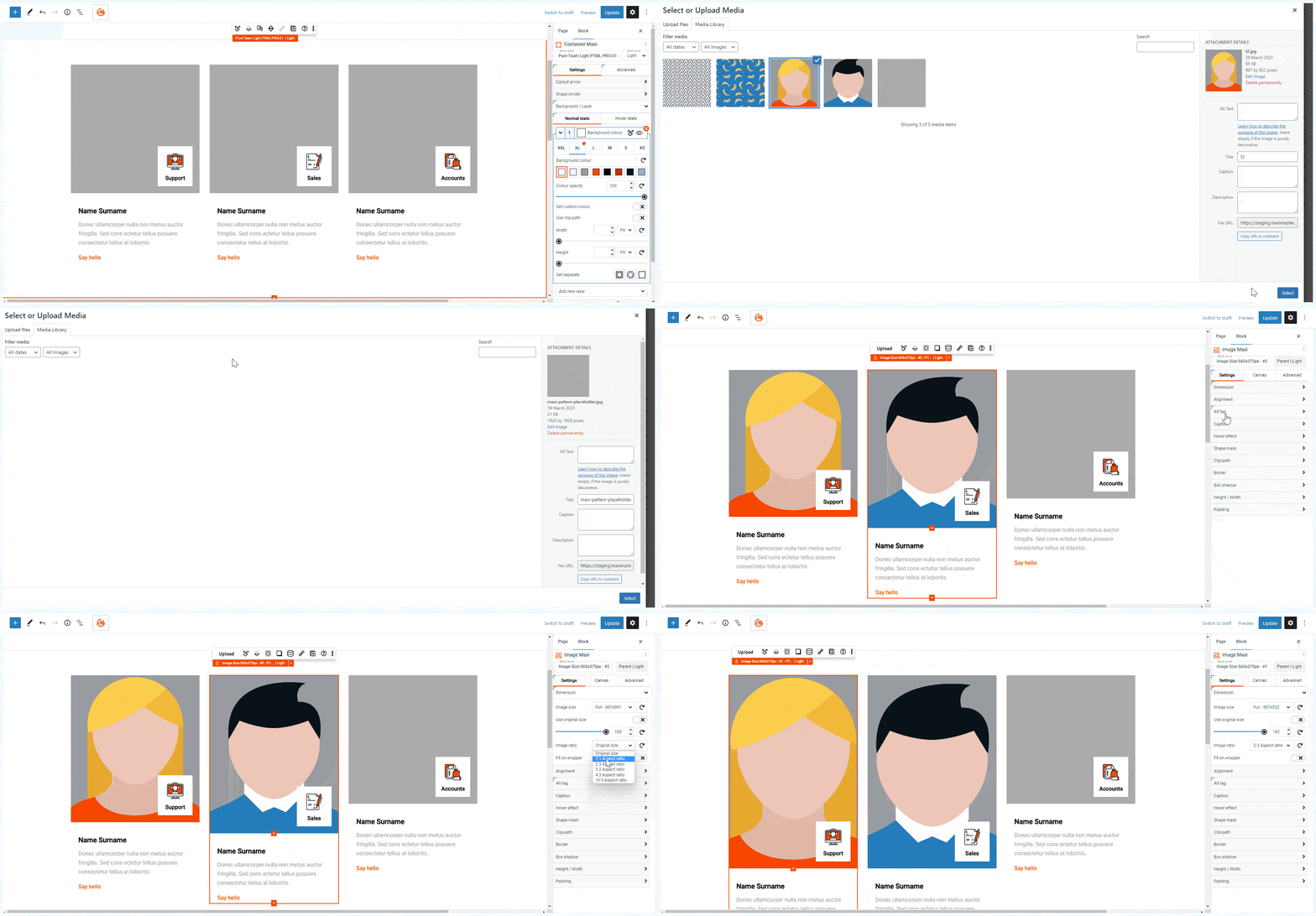
- Image Maxi Insert, modify or style an image
- Map Maxi (beta) Create a map with marker and description
- Divider Maxi Create a divider between visual elements
- Text Maxi Insert, modify or style text
- Button Maxi Insert, modify or style a button
- Number Counter Maxi Create a number counter
- Video Maxi Insert a video with controls or lightbox
- Slide Maxi Sliding component of Slider Maxi
- Pane Maxi Expand or collapse content inside of a panel
- List Item Maxi Create list items with numbers, bullets or icons
- Row Maxi Organise blocks horizontally inside a row
- Column Maxi Stack blocks vertically inside a column
መጫን
Install MaxiBlocks from the WordPress plugin directory:
- Go to Plugins > Add New
- Search for “MaxiBlocks”
- Click “Install Now” then “Activate”
For the best experience, also install the MaxiBlocks Go Theme:
- Go to Appearance > Themes > Add New
- Search for “MaxiBlocks Go”
- Click “Install” then “Activate”
Getting started:
- Click the MaxiBlocks icon in the editor toolbar to open the template library
- Browse patterns or choose a starter site
- Select a style card to instantly update your site’s look
- Use the (?) icon for help docs and tutorials
Quick links:
YouTube | Cloud Library | Starter Sites | Documentation | Discord | Roadmap
የተለመዱ ጥያቄዎች
-
What is MaxiBlocks?
-
MaxiBlocks is a complete website building solution that combines the MaxiBlocks Builder, MaxiBlocks Go Theme, and MaxiBlocks Cloud Library. The Builder and Go Theme are free and open source forever.
The optional Cloud Library gives you access to 2,180+ patterns, 231 pages, and 11 starter sites to save time.
-
What features are free, and what’s included in the Cloud Library?
-
All core features are free with no restrictions: 19 blocks, 14,417 icons, 100 style cards, 542 patterns, 17 pages, animations, dynamic content, custom CSS, and full functionality.
The Cloud Library offers premium designs to speed up development. You can create the same patterns and pages from scratch with the free version — a Cloud account simply reduces development time.
-
Why does MaxiBlocks have fewer blocks than other libraries?
-
We take a different approach. Instead of offering numerous specialised blocks, we’ve built extensive functionality into each foundation block. This allows you to create complex designs with fewer blocks, making the system easier to learn and more flexible to use.
Our 19 core blocks are highly versatile, as demonstrated in our pattern library. By focusing on a smaller set of powerful blocks, we ensure they’re well-maintained and continually improved.
Unlike builders that restrict features to encourage paid upgrades, MaxiBlocks provides full functionality in every block from the start.
-
What are starter sites and how do they work?
-
Starter sites are complete, ready-to-use websites you can install with one click. Each includes all pages (homepage, about, services, contact, blog, archives, 404) with coordinated design and styling.
Install a starter site, then customise the content, images, and colours to match your brand. It’s the fastest way to launch a professional WordPress site.
-
Is MaxiBlocks compatible with Gutenberg and my theme?
-
Yes, MaxiBlocks is fully integrated with the Gutenberg editor. For the best experience, we recommend using a block theme like Twenty Twenty-Four or our own MaxiBlocks Go Theme, which is free and available on WordPress.org.
-
What is a Cloud account?
-
A Cloud account gives you access to the premium design library with 2,180+ patterns, 231 pages, and starter sites. Use these designs on any WordPress site with the MaxiBlocks Builder installed.
The MaxiBlocks Builder and Go Theme are always free. The Cloud Library just speeds up your workflow.
-
How does the licensing work for Cloud Library designs?
-
Once you have a Cloud account, you can use the designs on your activated domains. Websites you create with Cloud designs continue to function indefinitely, even if you cancel your subscription.
Cloud Library access is based on domain activations:
- Cloud 1: 1 domain
- Cloud 3: 3 domains
- Cloud 2000: 2,000 domains
-
What happens if I cancel my Cloud subscription?
-
Your free MaxiBlocks Builder and Go Theme continue working perfectly forever. They’re open source with no restrictions.
When you cancel Cloud Library access:
- All Builder features keep working (free forever)
- All Go Theme features keep working (free forever)
- Any Cloud designs you already downloaded stay on your sites
- Your websites continue working perfectly
- You still get Builder and Theme updates
You just won’t be able to download new premium Cloud Library items. Rejoin anytime to regain access.
-
Do I need an active license for plugin updates?
-
No. The MaxiBlocks Builder plugin receives updates forever — no active license required. Once you’ve used Cloud Library designs on a website, those designs remain functional forever.
Plugin updates, security patches, and feature improvements continue regardless of Cloud status.
-
Can I use MaxiBlocks for client projects?
-
Yes. The free Builder and Go Theme have no restrictions. Use them on unlimited client sites.
Cloud Library access for client sites depends on your plan. You can build excellent client sites with just the free tools — Cloud Library just speeds up the process.
-
Is support included?
-
Support is always included at no extra cost. Cloud Library subscribers receive priority support with faster response times, while free users have access to community support forums and documentation.
-
How can I learn more about MaxiBlocks’ future plans?
-
Check out our public roadmap.
Reviews


Contributors & Developers
“MaxiBlocks Builder | 17,000+ Design Assets, Patterns, Icons & Starter Sites” is open source software. The following people have contributed to this plugin.
Contributors


Interested in development?
Browse the code, check out the SVN repository, or subscribe to the development log by RSS.
Changelog
Updates 13 Aug 2026
MaxiBlocks v2.2.1
* Update: Added WordPress 7.1 compatibility with comprehensive fixes, ensuring stable plugin performance across all features.
* Update: Updated npm packages and dependencies to the latest versions for enhanced security measures and improved stability across all plugin features.
* Update: Added responsive Image size support, allowing a different image size to be set for each breakpoint.
* Update: Introduced Image block filter controls for direct visual adjustments without external editing.
* Update: Added searchable Dynamic Content selects, making it faster to find fields, posts, and taxonomies.
* Update: Introduced a canvas link toggle, allowing links to be applied at the canvas level.
* Update: Added image position controls for the Video block popup image for more precise framing.
* Update: Introduced responsive Search icon reveal position controls across all breakpoints.
* Update: Wired Number Counter into Style Cards for consistent global styling.
* Update: Added palette colour descriptions on hover, making it easier to identify each colour’s role while styling.
* Update: Expanded copy-paste special coverage to include the remaining block attributes.
* Update: Separated typography groups in copy-paste special for more granular control.
* Update: Added link accessibility settings and resolved empty link titles for improved accessibility.
* Fix: Resolved duplicated and pasted blocks reusing an existing uniqueID on every other copy.
* Fix: Corrected removal of duplicated blocks on WordPress 6.9.4.
* Fix: Resolved a random border crash on the Landscaping LSCP-PRO-03 pattern.
* Fix: Resolved older SVGs breaking after adding a link to the canvas.
* Fix: Resolved 404 errors for Dynamic Content link pagination on hidden items.
* Fix: Corrected Advanced CSS media queries handling.
* Fix: Resolved Dynamic Content copy-paste behaviour.
* Fix: Corrected hidden state for empty Dynamic Content SVG groups.
* Fix: Resolved repeater settings synchronisation.
* Fix: Corrected list migration in repeater rows.
* Fix: Resolved Interaction Builder relation target synchronisation.
* Fix: Resolved responsive Scroll Effects behaviour.
* Fix: Corrected responsive clip-path reset.
* Fix: Corrected responsive box shadow opacity.
* Fix: Resolved gradient background transitions.
* Fix: Corrected background shape hover transitions.
* Fix: Corrected callout arrow background hover transition for Containers.
* Fix: Resolved background layer width with horizontal scroll.
* Fix: Improved background layer transform cleanup.
* Fix: Corrected default background image size for avatars.
* Fix: Corrected Button quick style icon background state.
* Fix: Corrected Video icon colour and sizing controls.
* Fix: Corrected Number Counter decimal display.
* Fix: Corrected Search icon reveal position controls.
* Fix: Corrected Image block caption typography settings.
* Fix: Corrected Image block caption resizer layout.
* Fix: Resolved image mask outline appearing with zero shadow.
* Fix: Corrected SVG fit-height first toggle.
* Fix: Corrected Text block custom URL marker sizing.
* Fix: Corrected Text block list markers and indentation.
* Fix: Corrected link wrapper border radius hit area.
* Fix: Corrected link Style Card overwrite toggle reset.
* Fix: Corrected divider breakpoint resizer sizing.
* Fix: Corrected alignment control sidebar layout.
* Fix: Corrected Cloud library cost filter active state.
* Fix: Corrected Advanced Number Control minimum value clamping while typing.
* Fix: Added a parent guard to the Column block inserter, preventing invalid insertions.
Updates 20 May 2026
MaxiBlocks v2.2.0
* Update: Added WordPress 7.0 compatibility with comprehensive fixes, ensuring stable plugin performance across all features.
* Update: Updated npm packages and dependencies to the latest versions for enhanced security measures and improved stability across all plugin features.
* Update: Optimized block traversal and uniqueness checks with store-backed indexes, improving editor performance and reliability.
* Update: Optimized breakpoint style cache updates for faster and more consistent responsive editing.
* Update: Refined spacing controls UI with improved layout, clearer line controls, and more consistent handling across related settings.
* Update: Expanded Dynamic Content link controls with a dedicated link toggle for improved configuration flexibility.
* Fix: Resolved potential translation issue with Interaction Builder for improved localization reliability.
* Fix: Improved Advanced Number Control inline meta handling for spinner, reset, and unit controls.
* Fix: Corrected Advanced Number Control unit widths for more consistent control sizing.
* Fix: Hid background image size controls when parallax is enabled, preventing incompatible settings from appearing together.
* Fix: Corrected Icon block Cloud button responsive label display.
* Fix: Resolved Image block copy-paste issues to preserve settings more reliably.
* Fix: Improved Text block link settings copy-paste behaviour.
* Fix: Improved repeater handling for unsupported blocks.
* Fix: Restored Typography italic toggle behaviour.