
ማብራሪያ
SendPulse plugin for WordPress
Add an email subscription form to your site. Each new subscriber will be automatically added to your mailing list. Create and send email campaigns with SendPulse, a multi-channel marketing automation platform.
FEATURES
- Install the plugin in 1 click and set up within minutes;
- Add multiple email subscription forms;
- Customize your subscription forms to fit your brand identity;
- Import contacts from WordPress to your mailing list.
SENDPULSE’S KEY FEATURES
- Rich automation possibilities that allow you to create email, SMS, web push, and chatbot campaigns on one platform;
- Drag and drop email editor;
- Ready-made email templates;
- Email personalization and list segmentation;
- Detailed analytics and reports;
WHAT IS SENDPULSE?
SendPulse is a multi-channel marketing automation platform for multifaceted business promotion and customer retention.
SendPulse allows you to send email, SMS, and web push campaigns, stay in touch with clients using Telegram, Facebook Messenger, WhatsApp, and Instagram chatbots, and create landing pages in just 15 minutes.
You can easily track all of your marketing activities and gather customer data with SendPulse’s free CRM.
Create a SendPulse account, and send up to 15,000 emails every month for free.
You can install SendPulse Free WebPush plugin if you need a plugin for web push notifications.
Contacts
- Customer support – https://sendpulse.com/support
- Twitter – https://twitter.com/SendPulseCom
- Facebook – https://facebook.com/sendpulse
Usage
- Create a subscription form using SendPulse’s builder.
- Add a new SendPulse form using WordPress.
- Paste your subscription form code in the editor.
- To display your subscription form, use a shortcode (for example
[sendpulse-form id="..."]where “…” is form id) in editor or place<?php echo do_shortcode('[sendpulse-form id="..."]')?>in your themes file.
Requirement
- PHP version >= 5.6+ (Recommended >= 5.6+)
Screenshots
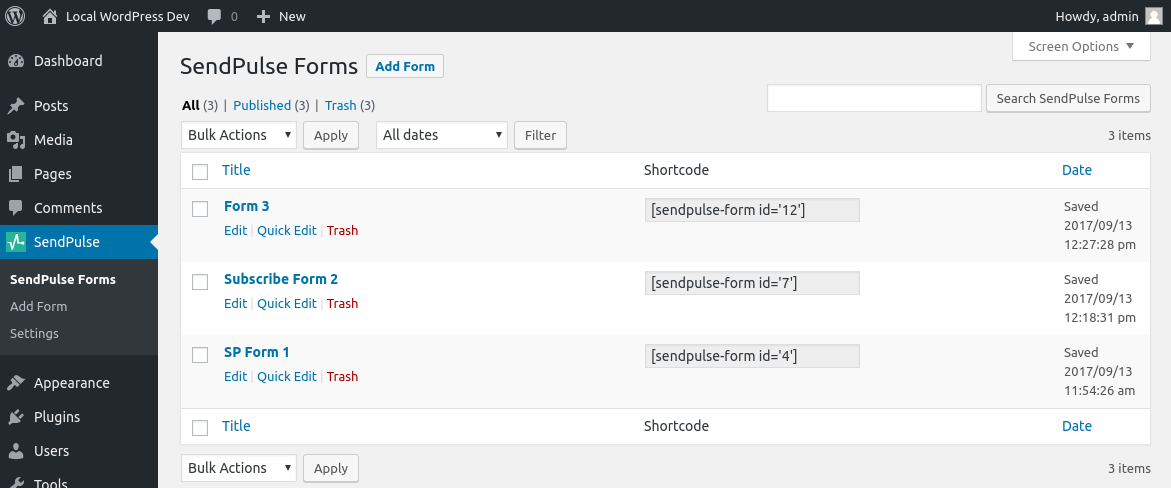
SendPulse Forms table view. 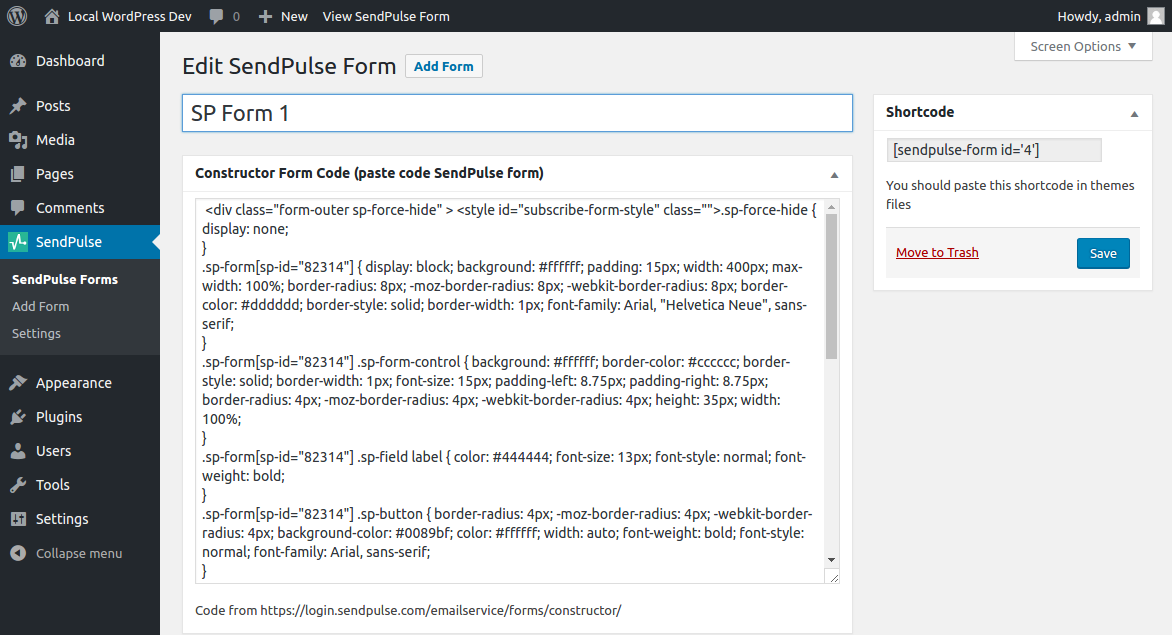
Form editor. 
API setting. 
Import Wordpress user.
መጫን
- Upload ‘sendpulse-email-marketing-newsletter’ to the ‘/wp-content/plugins/’ directory
- Activate the plugin through the ‘Plugins’ menu in WordPress
የተለመዱ ጥያቄዎች
-
How place shortcode in themes file?
-
Shortcode can be used anywhere in the theme templates via do_shortcode function.
For example,<?php echo do_shortcode('[sendpulse-form id="..."]')?>.
Reviews


Contributors & Developers
“SendPulse Email Marketing Newsletter” is open source software. The following people have contributed to this plugin.
Contributors
“SendPulse Email Marketing Newsletter” has been translated into 2 locales. Thank you to the translators for their contributions.
Translate “SendPulse Email Marketing Newsletter” into your language.
Interested in development?
Browse the code, check out the SVN repository, or subscribe to the development log by RSS.
Changelog
1.5.0 – 2017-08-22
- Changed: Ability to use the constructor code from SendPulse dashboard.
- Fixed: Support several forms on the page.
2.0.0 – 2017-09-19
- Added: Ability create multiple form with constructor code from SendPulse dashboard.
- Removed: Plugin generated subscribe form in favor constructor code from SendPulse dashboard.
2.0.1 – 2017-09-25
- Changed: Documentation and help link.
2.1.0 – 2017-10-18
- Changed: Down minimal PHP version requirement.
2.1.1 – 2022-07-16
- Updated supported WP versions
- Tested up to WordPress 6.0.2
- Updated translations
- Various fixes
2.1.3 – 2023-06-05
- Updated supported WP versions
- Tested up to WordPress 6.2.2
- On plugin activation automatic
2.1.4 – 2023-07-14
- Change info messages on plugin activation
- Change message box classes
- Change function to check write available on server